How to charge with EV.app: your first public charging session, step by step

Popular articles




You’ve found a public EV charger. There are a few connectors, a screen full of information, and several things you could tap. What now?
Your first public charging session might feel a little unfamiliar. But once you know the order of things, it’s a straightforward process.
With EV.app, you can find a compatible charger, check the price, start and stop charging, and manage your payment and invoices in one place.
Here’s how to go from finding your first charging station to getting back on the road, without the guesswork.
Before your first charge: get EV.app ready
A little preparation makes your first charging stop much easier. Ideally, set everything up before you arrive at the station.
Create your account
Download EV.app from the App Store or Google Play.
You’ll need an account to use the app. You can sign in with your email address or use your Google, Apple, or Meta account.
If you choose email, you’ll receive a one-time verification code. No separate password to remember.
Add your electric car
Open your profile, go to your personal details, and find the vehicle settings.
Choose your car’s make, model, and correct version.
This matters more than you might think. Two versions of the same EV can have different batteries, charging capabilities, and expected charging times.
EV.app uses your vehicle information to recommend compatible chargers and estimate charging time and cost.
You can also add multiple vehicles if you drive more than one EV. Just make sure the correct car is selected before starting a session.
Set up payment and billing
Next, add your preferred payment method and complete your billing profile.
EV.app supports bank cards, Apple Pay, and Google Pay.
You can create separate personal and business billing profiles, with different payment cards if needed.
One useful habit: before every charging session, check which billing profile is selected. It’s much easier to get the invoice right from the start than to request a correction later.
1. Find a public EV charger
Open the EV.app map to explore available charging locations.
If you’ve already added your vehicle, the app can help filter out incompatible, occupied, or out-of-service chargers. You can adjust the filters, including displaying all chargers if you want to explore more options.
Should you choose AC, DC, or HPC?
Think about what you’re doing while the car charges.
AC charging generally works well when you’re staying somewhere for a while. Think supermarket trips, longer parking stops, or a few hours in town.
DC fast charging is usually the better choice when you want to add energy quickly and continue driving.
HPC (High Power Charging) provides high-power DC charging, particularly useful on longer journeys. Your car’s own charging limits still determine how much power it can accept.
For example, if you’re stopping for lunch and a walk, the fastest available charger might not be necessary. If you’ve got a long motorway journey ahead, a DC or HPC station may make more sense.
Let BEST.match narrow down the options
EV.app’s BEST.match feature helps identify chargers that suit your particular situation.
It considers your vehicle, current and target battery charge level, charger availability, and charging speed. It also provides estimated charging costs and times.
That gives you a useful starting point without having to compare every charging station manually.
Prefer a different location or price? You can still choose another charger directly from the map.
2. Check the price and select the correct connector
Once you’ve chosen a charging station, open its details.
Before you drive there, check its current status, available connector types, charging power, and pricing.
Understand what you’re paying for
Public charging doesn’t always follow the same pricing model.
Some chargers charge per kilowatt-hour (kWh), which is the amount of energy delivered. Others may apply time-based fees.
There may also be an EV.app service fee and, at certain locations, an additional blocking or idle fee if a charging space is occupied beyond the permitted period.
EV.app displays the relevant pricing information before you start.
Always check the full tariff, not just the price per kWh.
One station, several connectors
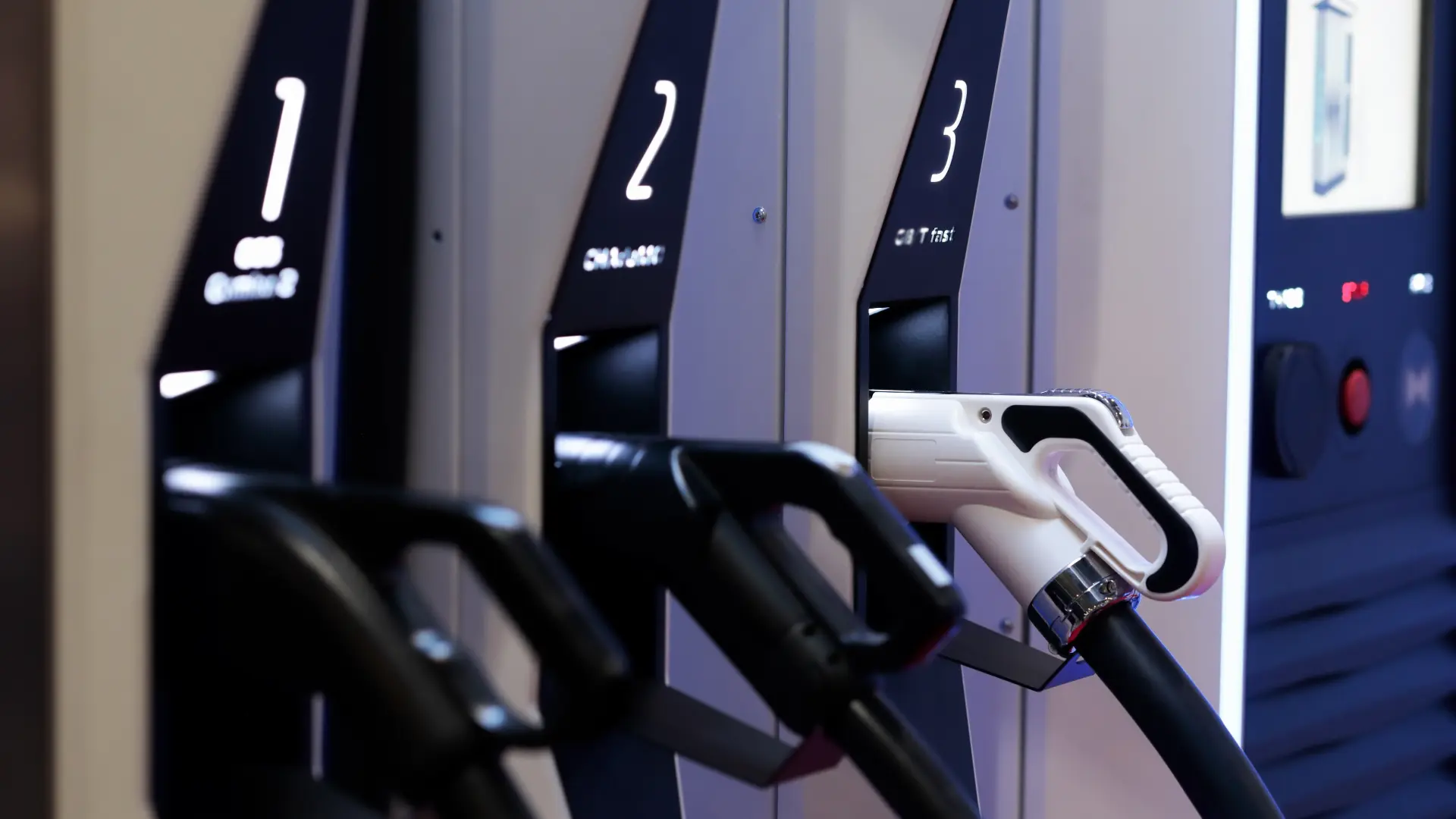
A charging location may have multiple stalls, cables, or connector options.
Each connector can have its own identifying number or letter.
When you’re at the station, compare the connector ID printed on the charger with the one you’re selecting in EV.app.
The app won’t automatically select a connector for you. You need to choose the correct ID before the charging button becomes available.
This small check can save you a surprisingly frustrating first attempt.
3. Arrive, park, and prepare the cable
Park in the charging bay so the cable can comfortably reach your car’s charging port.
Before doing anything else, check that the connector, cable, and charging equipment have no obvious damage.
Then look at the type of charger you’re using.
At many AC stations, you’ll need to bring your own Type 2 charging cable. DC fast chargers generally have a permanently attached cable with the appropriate connector.
Don’t plug anything in just yet without checking the next step.
4. Start charging: follow the correct order
This is where first-time EV drivers often hesitate.
Do you connect the cable first, or start the session in the app?
With EV.app, the default process is to start charging in the app first, then connect the cable to your vehicle.
However, some chargers require the opposite sequence.
EV.app will tell you when a different connection order is necessary, so always follow the instructions shown for that specific charger.
Start your session
Open the selected charger in EV.app and choose the connector ID that matches the physical charger.
Check your vehicle, billing profile, and payment method.
Then follow the steps to start charging.
Before the session begins, EV.app will request a temporary payment authorization.
Why is there a payment hold?
The amount temporarily reserved on your payment method is not your final charging bill.
It’s a security hold designed to ensure sufficient funds are available for the session.
EV.app calculates it using the theoretical cost of charging your selected vehicle from 0% to 100%, and shows the amount before you confirm.
That means the reserved amount may be considerably higher than the cost of the charge you actually plan to take.
You need enough available funds to cover the full hold for charging to start.
Once the start process is underway, connect your vehicle in the order instructed by the app.
5. Make sure charging has actually started
Don’t walk away the moment you tap the start button.
Give the charger and vehicle about a minute to establish the connection.
Check the EV.app session, your vehicle display, or the charger screen for confirmation that energy is being delivered.
The clearest sign is that the delivered energy is increasing.
If charging hasn’t started, it’s better to discover the problem while you’re standing next to the car than after you’ve settled into a café.
6. What happens while your car charges?
Once charging is running, you can follow the active session and its available charging information in EV.app.
You don’t need to stand beside the charger for the entire session.
Go grab a coffee, do your shopping, or take a break.
Just keep two things in mind.
Charging speed can change
Even at a powerful DC charger, your car won’t necessarily charge at the maximum advertised speed.
Charging power depends on the vehicle, battery temperature, current battery level, and other conditions.
So if you connect to a 150 kW charger and see a lower charging rate, that doesn’t automatically mean something is wrong.
Charging bays aren’t regular parking spaces
Once your session is finished, make sure you return to the car and free up the charging bay.
Some charging locations apply additional fees if a vehicle occupies the space for too long.
It’s better for your wallet and for the next driver waiting to charge.
7. Stop charging and disconnect safely
When you’ve added enough energy, return to your active charging session in EV.app.
Select the option to stop charging and wait for the session to end.
Next, make sure the charging connector has been unlocked.
Some vehicles require you to unlock the charging port using the car’s own controls.
Never force a connector out if it’s still locked.
At an AC charger, disconnect and pack away your own cable. At a DC charger, return the cable to its holder.
If your vehicle automatically stops charging at a preset battery level, check that the session has ended before disconnecting.
Then move your car so the next driver can use the charger.
That’s the physical part done.
8. How payment and invoicing work
You don’t have to go to a payment terminal after charging.
EV.app calculates the final amount based on the actual charging session and the applicable fees, then processes the payment through your selected method.
The unused portion of the earlier payment hold is released.
Depending on your bank, it may take some time for the released funds to become available again.
Occasionally, the charging operator sends the final session data with a delay. If the exact amount doesn’t appear immediately, the final settlement may still be processing.
Where can you find your invoice?
EV.app automatically sends your invoice by email.
You can also find previous sessions and their invoices in your profile, under Charging History in your personal details.
If you use separate business and personal billing profiles, your charging records and invoices can be viewed accordingly.
Remember to select the correct billing profile before starting the session, especially when charging a company vehicle.
What if charging won’t start?
A failed start doesn’t necessarily mean you’ve done something wrong. There can be a problem with the connector selection, payment authorization, communication, or the charging station itself.
First, check these common issues.
Wrong connector ID: verify that the connector selected in EV.app matches the physical charger. If you started the wrong connector, wait 90 seconds, stop the incorrect session, and try again with the right one.
Incorrect connection order: check whether the app instructed you to connect before or after starting.
Payment authorization failed: make sure your selected payment method has enough available funds for the full temporary hold.
Wrong vehicle or billing profile: confirm that the correct information is selected in the app.
Charger issue: if the station is malfunctioning, contact its operator using the support details displayed on the equipment.
For EV.app-related issues, use the in-app support section and its problem-reporting option. You can also contact the EV.app Care Team at help@evapp.me.
Your next charging stop will feel easier
Your first public charge introduces a few new habits: checking the charger, selecting the right connector, following the startup instructions, and making sure the session is actually running.
After that, the process becomes familiar.
Find the charger that fits your plans, start the session, take care of what you came to do, and drive away with the energy you need.
The charging stop is just one part of your journey. It shouldn’t become the whole story.
Charging made simple.